Enter the code within 48 hours of signing up to receive 1 billion bonus tokens
Muse is not just an AI that answers questions. It researches, creates, and moves work forward for you — like a partner with its own computer.
Invite code
EWLVIK
⏰ The code must be entered within 48 hours of signing upAs soon as you create your account, go straight to Settings and enter the code. Signing up alone does not apply the bonus. After the deadline, this code can no longer be used.
You can start for free. Once your account is ready, enter the code from Settings, following the steps below.
STEP 1Sign up on the official site
→
STEP 2Within 48 hours, enter the code "EWLVIK" in Settings
→
STEP 3The bonus tokens are applied to your account
*This is a personal referral page written by a Muse user. It is not an official Meta page. When someone signs up with this code, the referrer also receives a bonus. The offer terms shown inside Muse are the official ones, and the offer may change or end without notice.
What you can do with Muse (real examples)
Muse is not an AI that only answers questions. It has its own dedicated computer, and it researches, creates, and organizes work on your behalf. Here is how the author of this page — the operator of the Japanese blog "Kotona School" — uses Muse every day.
📝 Blog and article writing
Muse helped sort through 53 half-finished drafts that had piled up and shaped 24 of them into publishable articles. Research, reports, and first drafts are also part of its daily work.
🔮 Building websites and services
The fortune-telling service "Mystic Kotona" was planned, built, and published together with Muse. Wording fixes and small adjustments are handled on the spot.
🔁 Recurring daily tasks
Fixed routines such as morning checks and regular reports can run automatically. Ask once, and the results arrive at the scheduled time.
💬 A separate partner for every topic
With Spaces and side chats, each topic gets its own room. The author also uses Muse to organize email, draft replies, and plan schedules and tasks.
The biggest difference from a chat-only AI is that Muse does not just answer — it carries the work forward. Start for free, and take your time exploring with the bonus tokens.
How to sign up and redeem the code (3 steps)
Create your Muse account on the official site Open muse.ai from the button above and sign up. Muse is currently available in the US, Canada, Japan, and Singapore, on the web, iOS, and Android.
Within 48 hours of signing up, open the redemption screen in Settings In the app (iPhone / Android): Settings > Redeem token On the web (muse.ai): Settings > General > Usage > Redeem invite code The menu names above follow the English interface. Depending on your app version and account, the wording or placement may differ slightly, and the web entry is shown only while redemption is available on your account.
Enter the invite code "EWLVIK" and confirm Once you confirm the code, the bonus is applied. The bonus takes effect when the code entry is confirmed — not when you open a link, and not when you finish signing up. The current offer for this code is 1 billion tokens; the terms shown on the redemption screen in Muse are the official ones.
Please note: signing up alone does not apply the bonus. Confirming the code is part of the same process. The code can only be entered during the first 48 hours after you join, so enter it right away rather than leaving it for later. Invitations are limited in number, and the offer may change or end without notice.
Signed up? This book is your next step
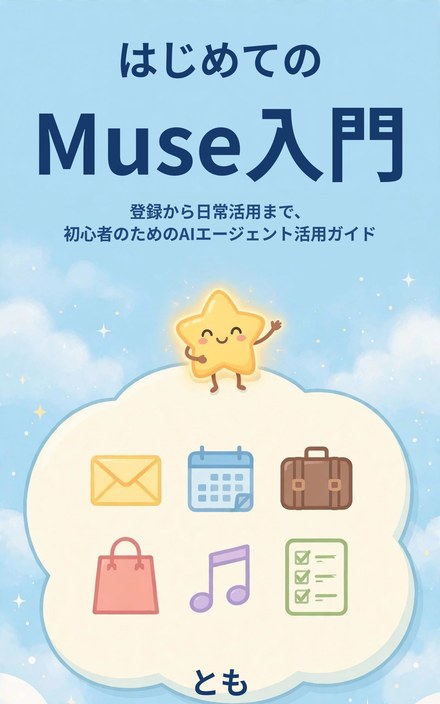
Once your account is ready and you are wondering where to begin, this beginner's guide walks you through the first steps: how to read the screens, how to phrase your first requests, and the points where newcomers tend to get stuck — all with real screenshots. It is written by the same author as this page, the operator of Kotona School.
\ Also available to read with Kindle Unlimited /
"Getting Started with Muse" (Japanese edition) — Kindle edition, ¥980 (Included with Kindle Unlimited)
The book is currently available in Japanese on Amazon.co.jp. An English edition is in preparation, and this page will be updated when it is released. Follow-up volumes (a practical guide and an advanced guide) are also in the works.
*As an Amazon Associate, Kotona School earns from qualifying purchases. The price shown on Amazon is the official price.
Frequently asked questions
Q. Is Muse free to start?
Yes. You can start for free. Paid plans are available, but joining one is entirely optional. A good approach is to start free and explore thoroughly with the bonus tokens from the invite code.
Q. When do I receive the bonus tokens?
They are applied when you confirm the invite code "EWLVIK" in Settings — not when you sign up. Follow the steps in "How to sign up and redeem the code" above. The amount and conditions of the current offer are those shown on the redemption screen in Muse.
Q. What happens if I forget to enter the code?
The code can only be entered during the first 48 hours after you join Muse. After that window closes, the bonus can no longer be claimed with this code. Entering the code as part of sign-up is the safest way.
Q. Where is Muse available?
Muse is currently available in the US, Canada, Japan, and Singapore. You can use it on the web at muse.ai, and with the iOS and Android apps.
Q. Can I talk to Muse in my own language?
Yes. Write to Muse in the language you are comfortable with, and it will reply in that language. This page itself is run by a Japanese user who works with Muse in Japanese every day.
Q. Can I use Muse on my phone only?
Yes. Muse has both smartphone apps and a web version for computers. The code entry screen is in a slightly different place in each, so check the "app" and "web" lines in the steps above.
Q. Will the person who referred me see my sign-up details?
No. Your name and account details are not shared with the referrer. The referrer does receive a bonus when someone redeems their code, but they are not told who signed up.
Free fortune readings in English, explained without fear-based selling: BaZi (Four Pillars of Destiny), palm reading and aura color. No sign-up, results in your browser.
Practical music know-how from our Japanese music school site: how to copy chords by ear, easy chord substitutions, whistle voice, vocal runs, and tools like ChordTube explained.